VPN Vietnam Client
Verison 2.1 | Updated: 10/07/2026
Windows 7/8/10/11 (64-bit) | ~32MB
Android 8.0 or newer | ~25MB
Features
High Speed
Optimize bandwidth, minimize ping for a smooth experience.
Security
Military-grade AES-256 bit encryption, absolute personal data protection.
Real-time Monitor
Monitor connection status and data usage in real-time.
Modern Protocols
Full support for WireGuard and VLESS/Xray for all needs.
Bypass Geo-blocking
Access all geo-blocked content with ease.
Hỗ trợ 24/7
Technical team is always ready to support you online chat channels
Installation Guide for Windows
- Windows 7/8/10/11 (64-bit)
- .NET Framework 4.7.2+
- Internet Connection
1 Download App
Download the official VPN Vietnam installer for Windows.
- Click vào nút Tải Cho Windows ở phía trên.
- Sau khi tải xong, chạy file
VPN Viet Nam Setup. - Làm theo hướng dẫn trên màn hình để hoàn tất cài đặt.
2 Install App
Khởi động ứng dụng và chuẩn bị đăng nhập.
- Tìm biểu tượng
VPN VIET NAMtrên màn hình Desktop hoặc menu Start. - Mở ứng dụng lên, bạn sẽ thấy giao diện đăng nhập hoặc bảng điều khiển.
- Nếu có thông báo từ Windows Firewall, vui lòng chọn "Allow Access".
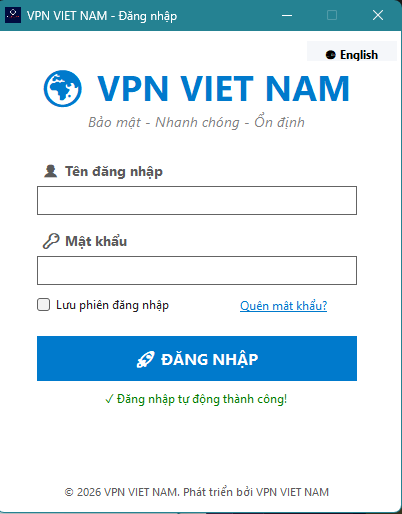
3 Get VLESS Config
Đăng nhập tài khoản.
- Sau khi đăng nhập tài khoản thành công, chọn server đã đăng ký trước đó để kết nối
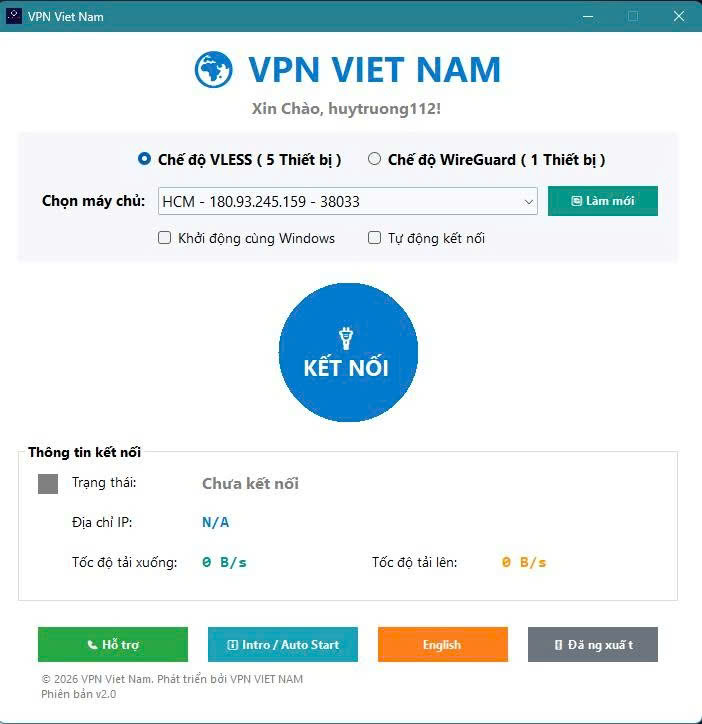
4 KẾT NỐI VÀ KIỂM TRA IP
Chọn cấu hình kết nối
- Đối với Ẩn Danh, Nhanh bạn vui lòng chọn 5 thiết bị
- Đối với chơi game hoặc cần tốc độ Nhanh khi làm việc cao thì chọn wireguard.
- Sau đó bấm vào nút kết nối đợi khi kết nối thành công và chuyển sang màu đỏ và thông báo kết nối thành công
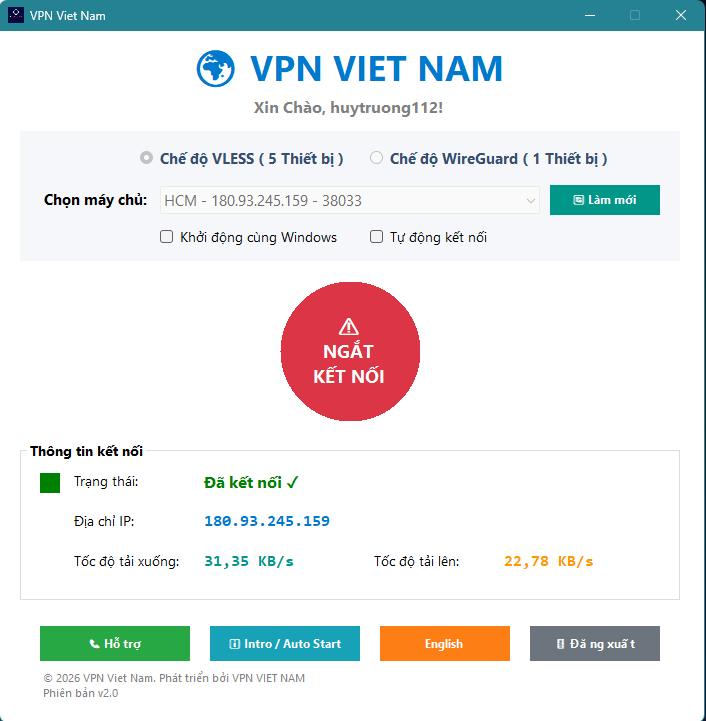
- The icon in the System Tray turns 🟢 Green.
- Your IP address has been changed to the VPN server IP.
Installation Guide for Android
- Android 8.0 (Oreo) or newer
- Stable Internet connection
- Allow installation from unknown sources (when prompted)
Only download the APK from vpnvietnam.com. Do not install APK files from untrusted sources.
1 Download APK
Download the official VPN Vietnam APK to your phone.
- Tap Download for Android in the box above (or on the homepage).
- Wait until
VPN Viet Nam.apkfinishes downloading. - Open the file from the notification or your Downloads folder.
2 Install APK
Allow installation and complete setup.
- If prompted, go to Settings → Security and enable Unknown sources (or allow your browser).
- Tap Install and wait until you see Done / Open.
- Open the VPN VIET NAM app from your home screen or app drawer.
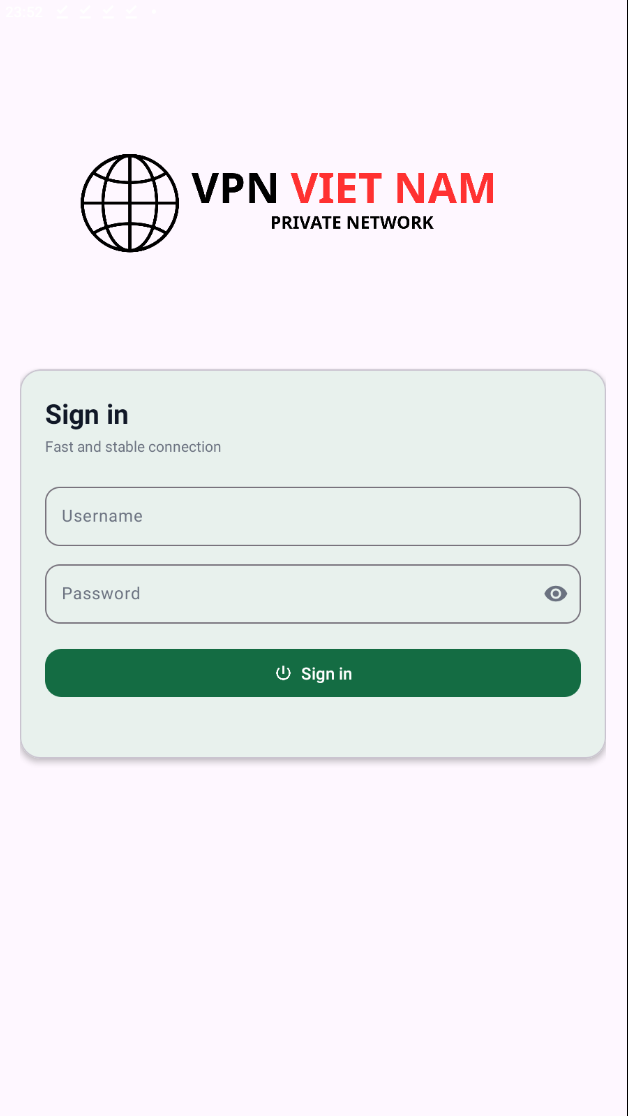
3 Sign In
Use your account registered on the website.
- Enter your VPN Vietnam email and password.
- If you do not have an account, register at user.vpnvietnam.com first.
- When asked for VPN permission, tap OK / Allow.
4 Connect & Verify
Choose a server and start using the service.
- Standard / fast plans: pick a suitable server (up to 5 devices at once).
- For gaming or highest speed: prefer WireGuard servers.
- Tap connect, wait for success, and verify your IP has changed.
- VPN icon appears in the status bar while connected.
- Your device IP has changed to the VPN server IP.
Installation for iOS/MacOS
iOS: Download "Streisand" or "Shadowrocket" -> Add config.

MacOS: Download "Streisand" -> Import config.
Installation for Linux
Install Xray-core & Config config.json with VLESS string.
Need Support?
VPN Vietnam technical team is ready to support 24/7!
- Hotline/Zalo: 0826.003.296 (Huy)
- Email: [email protected]